Help center
All collections
Contacts
Smart Lists
Assigning Contacts to a Pipeline in a Batch at a Scheduled Time in Content Copilot
Assigning Contacts to a Pipeline in a Batch at a Scheduled Time in Content Copilot
Learn how to assign multiple contacts to a pipeline in bulk and schedule the process for a specific time in Content Copilot.
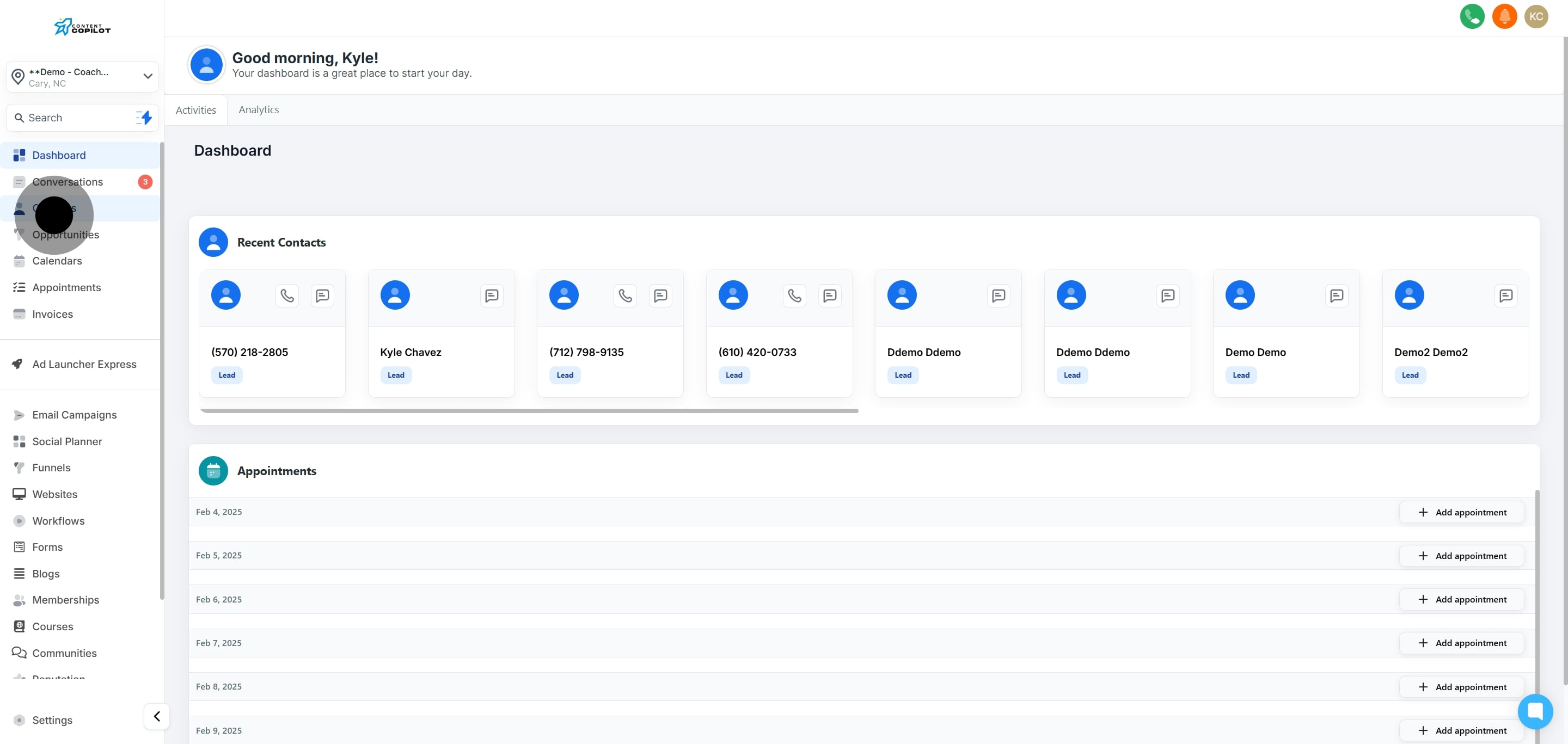
1. Start by clicking on 'Contacts' to view your contact list.
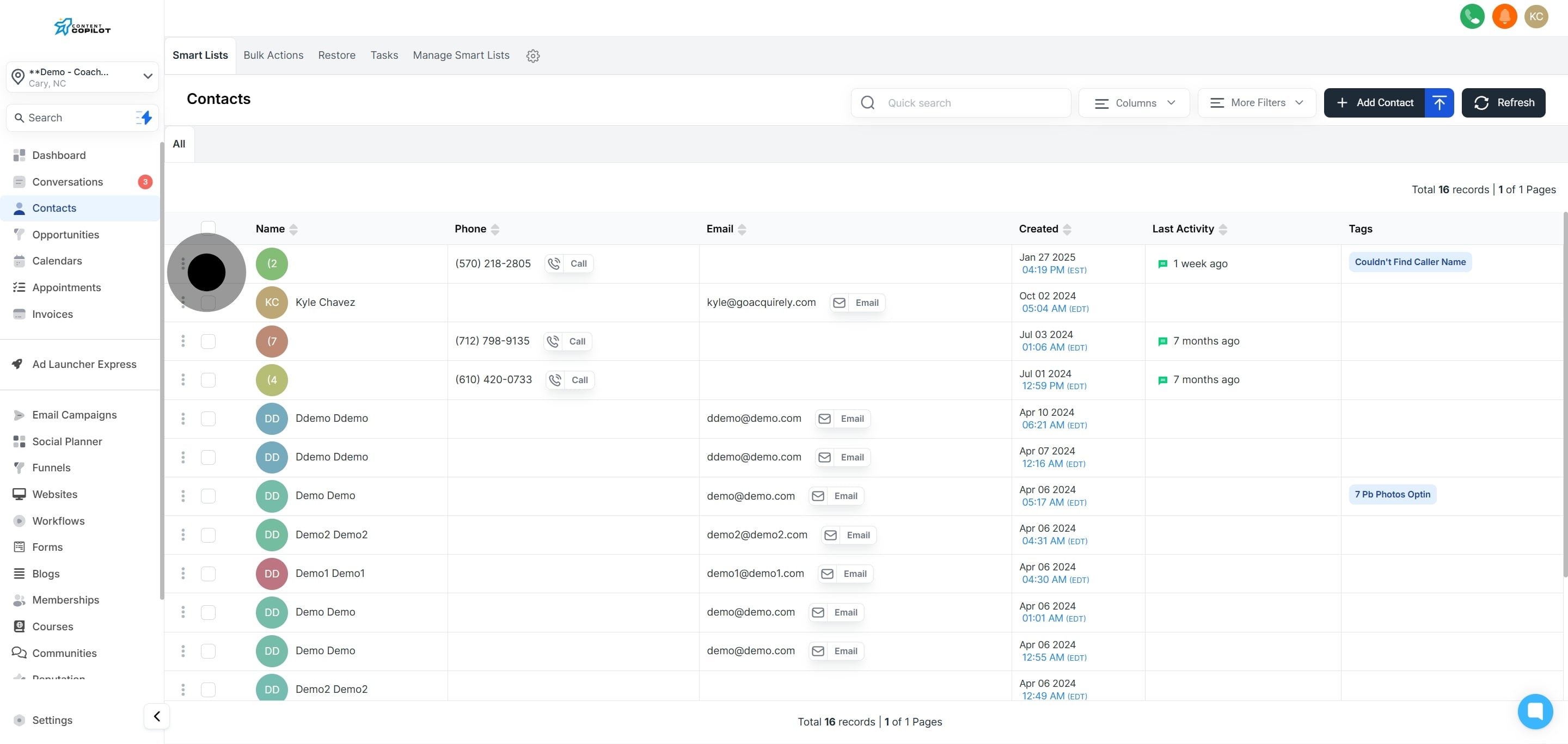
2. Next, select a contact from the list provided.
3. If more contacts are needed, click to select additional ones.
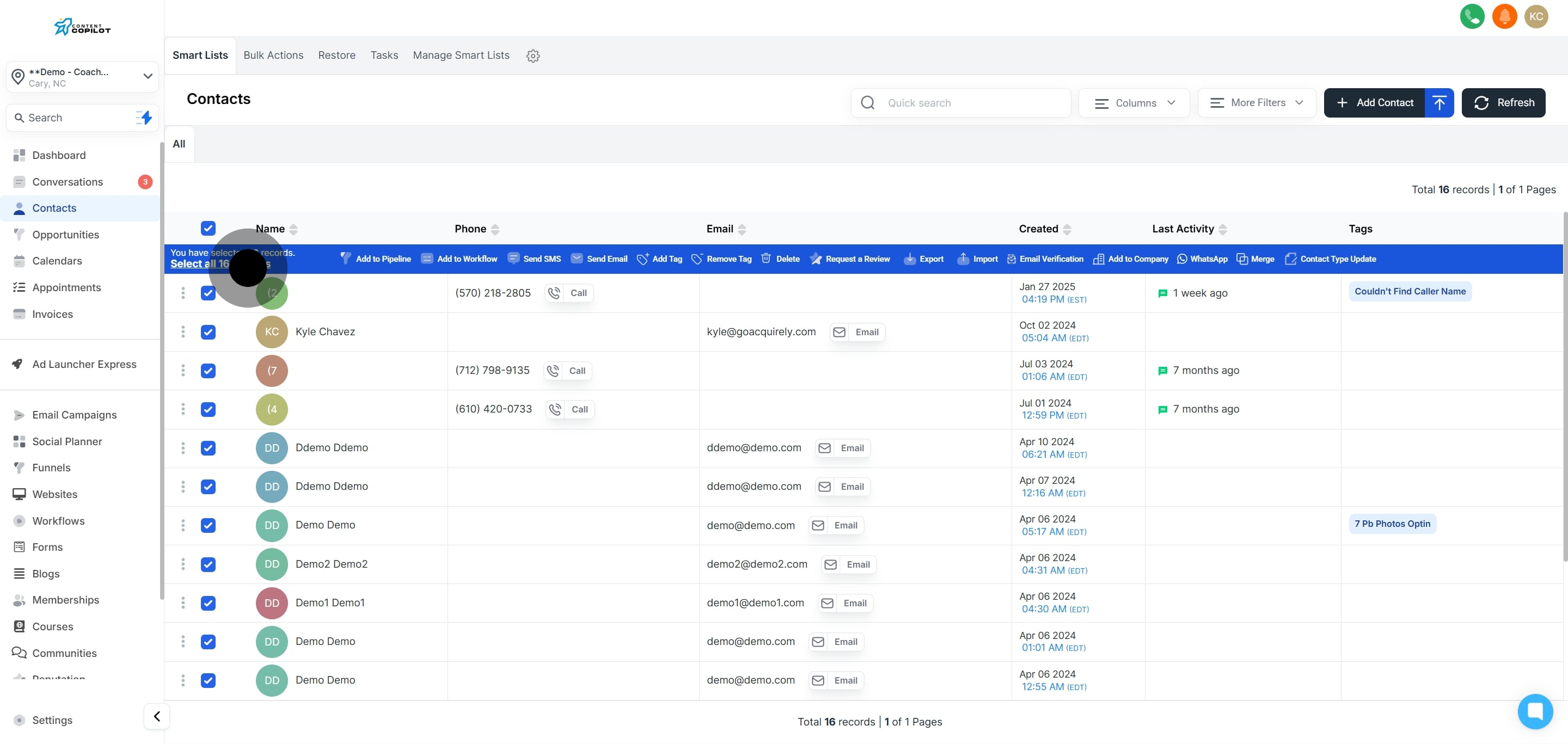
4. Now, tick the box to select all contacts on this page.
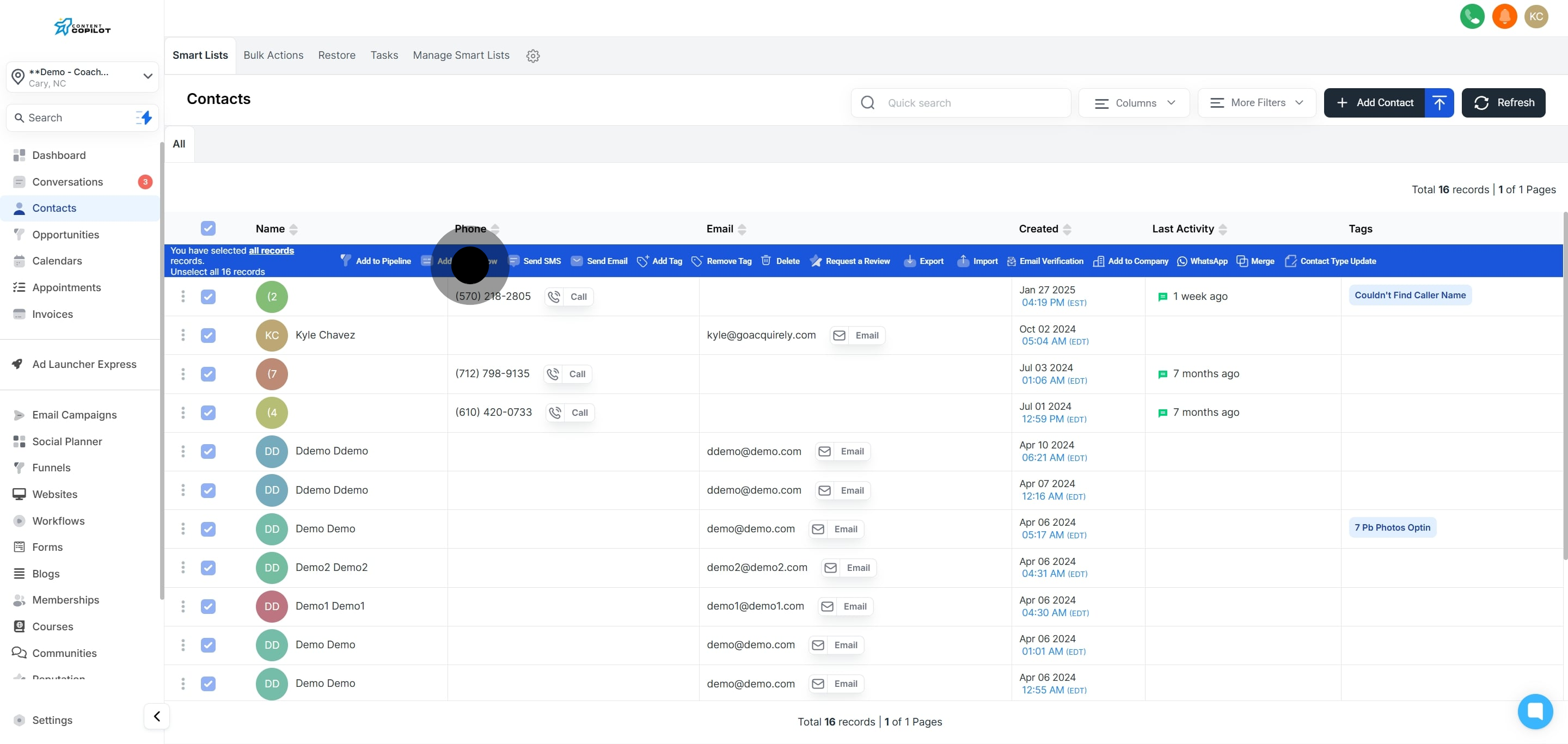
5. Optionally, select all contacts across the system for bulk actions.
6. Click on 'Add to Workflow' to initiate the process.
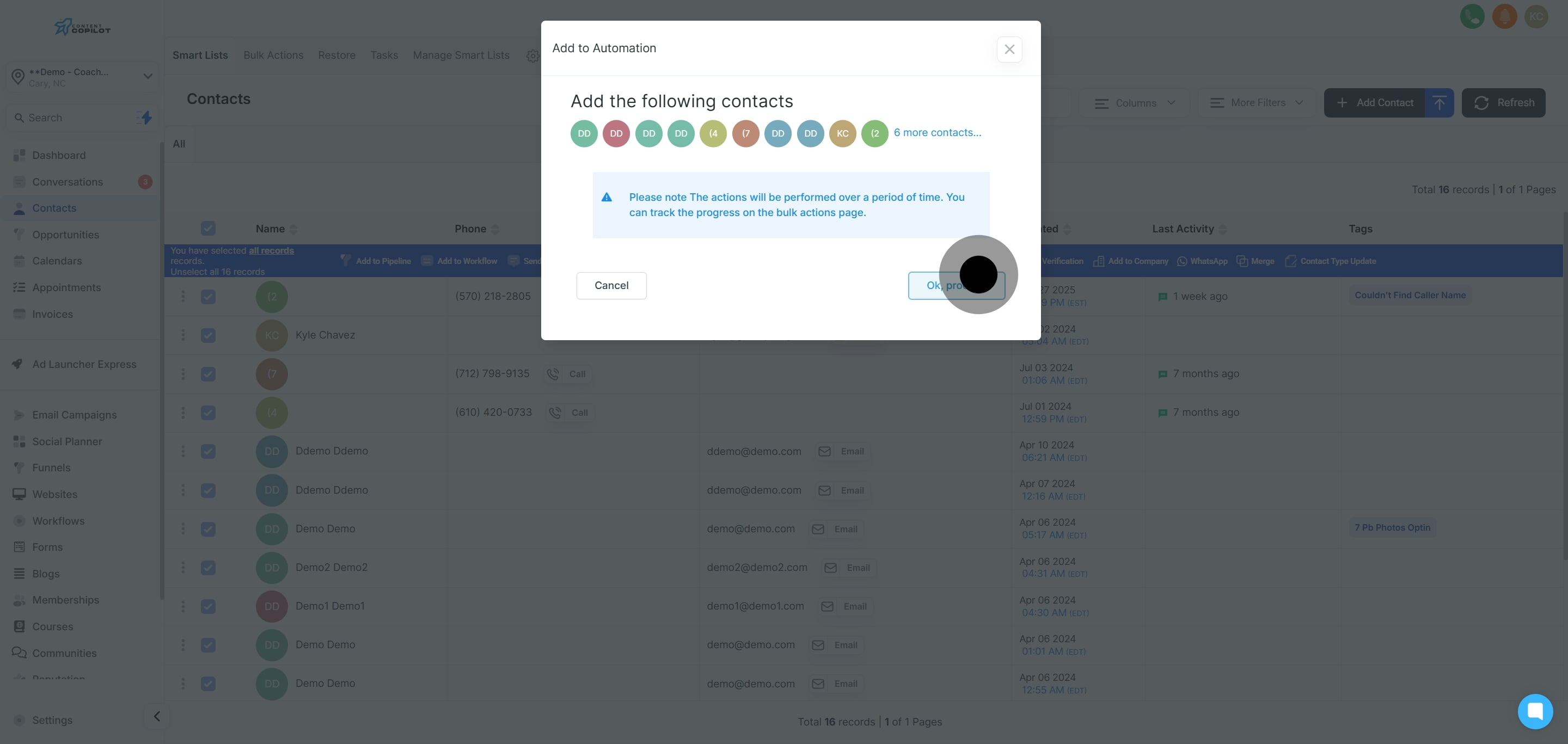
7. Next, confirm by clicking 'Ok, proceed.'
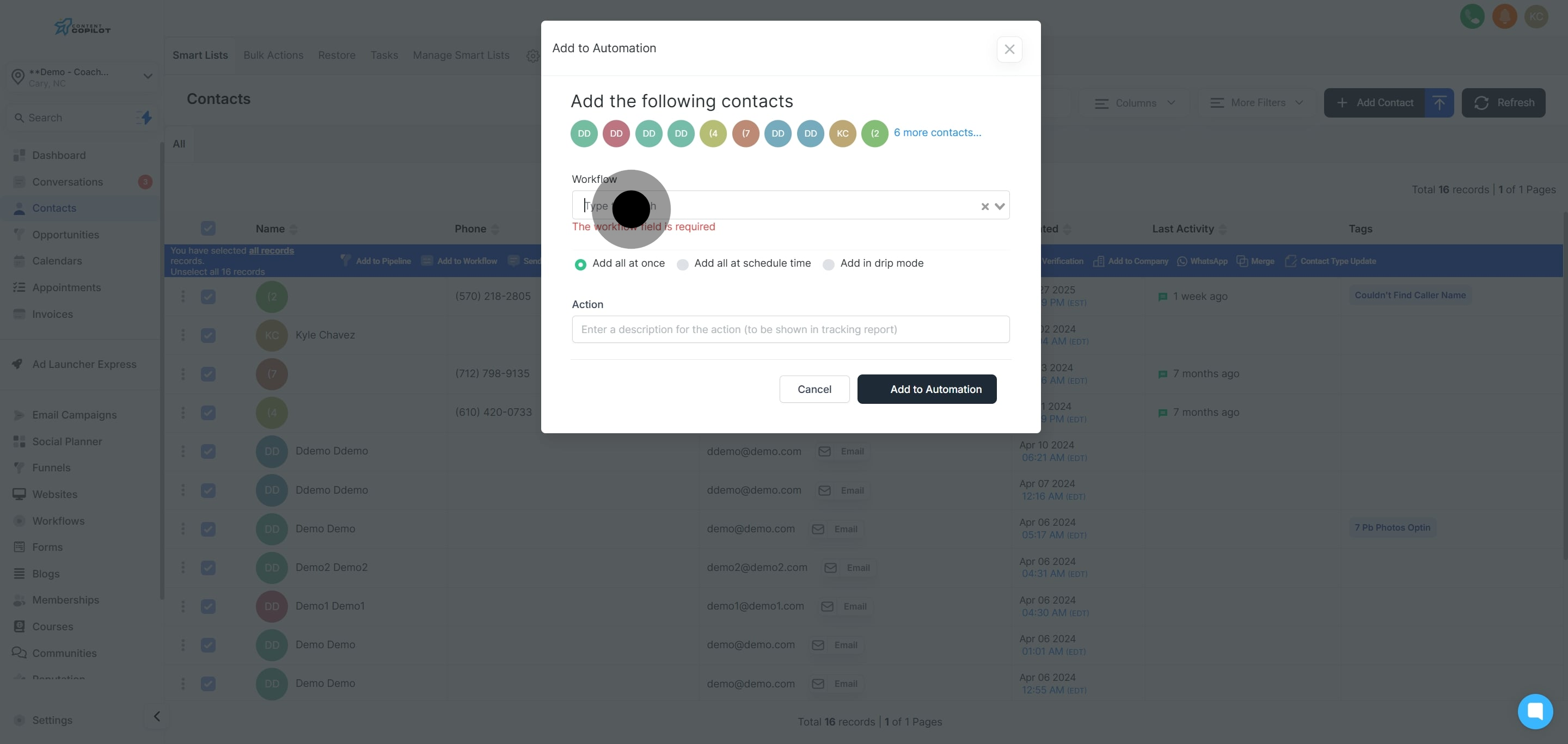
8. Now, choose the required workflow from the list provided.
9. Choose to add everything at the scheduled time.
10. Next, describe your action for tracking purposes.
11. Now, select the start date and time.
12. Then, choose the specific schedule date.
13. Follow by picking the exact schedule time.
14. Click 'Continue' to proceed with your choices.
15. Finally, click to add your setup to automation.
Did this answer your question?
😞
😐
😁
Assigning Contacts to a Pipeline in a Batch at a Scheduled Time in Content Copilot | Content Copilot