Help center
Assigning Contacts to a Pipeline in a Batch in Content Copilot | Content Copilot
All collections
Contacts
Smart Lists
Assigning Contacts to a Pipeline in a Batch in Content Copilot
Assigning Contacts to a Pipeline in a Batch in Content Copilot
Learn how to efficiently assign contacts to a pipeline, update their opportunity details, and track progress seamlessly.
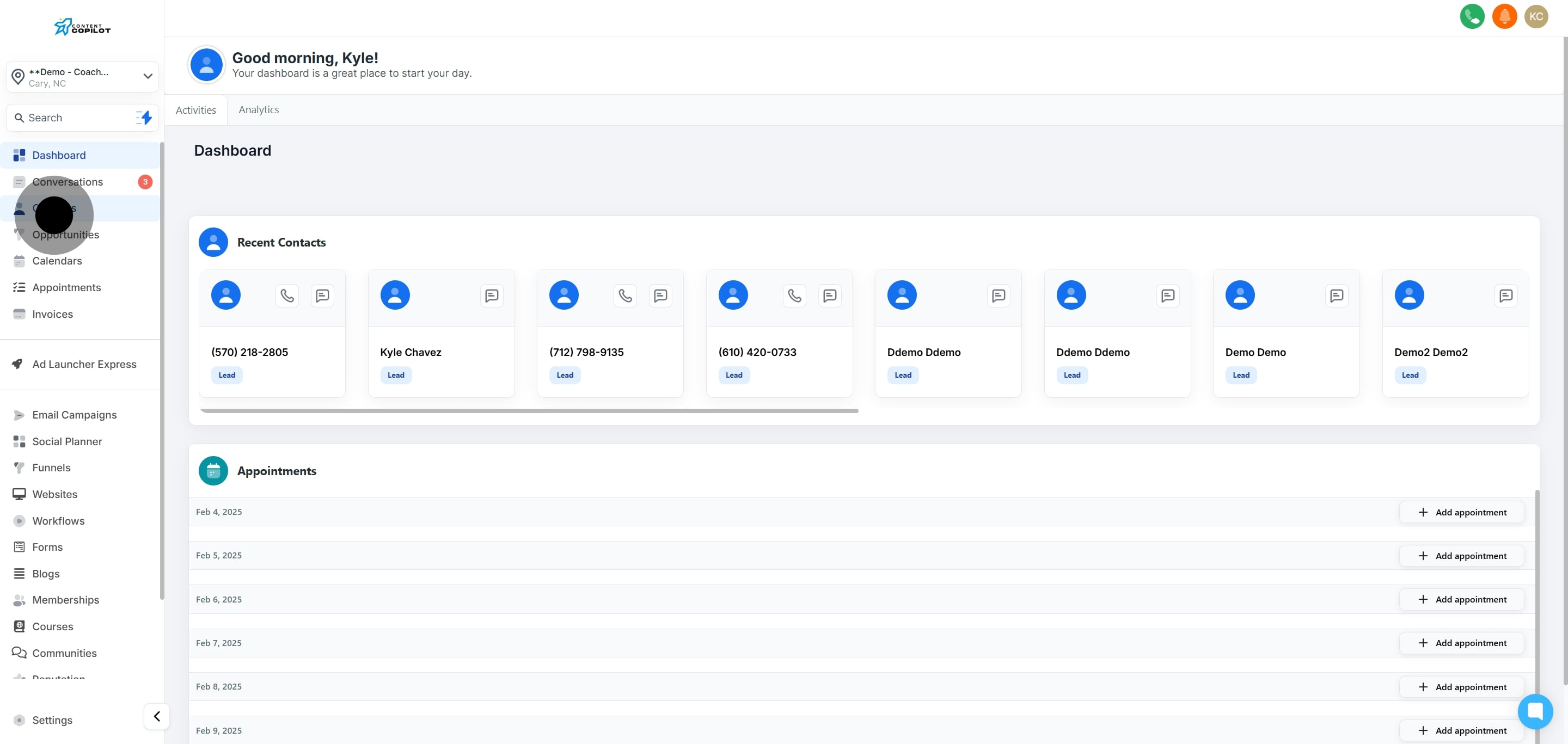
1. Start by clicking on 'Contacts' to view your contact list.
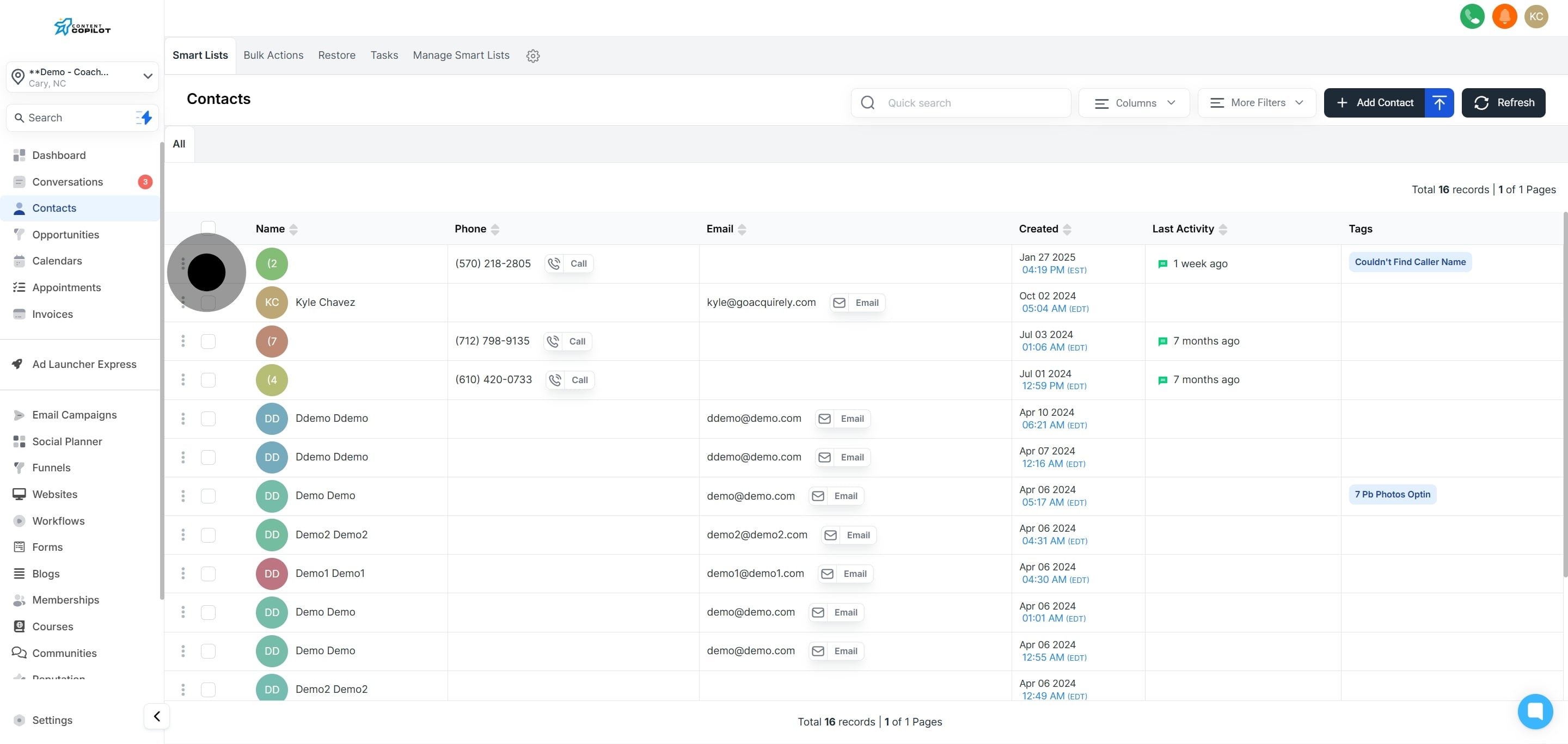
2. Next, select a contact from the list provided.
3. If more contacts are needed, click to select additional ones.
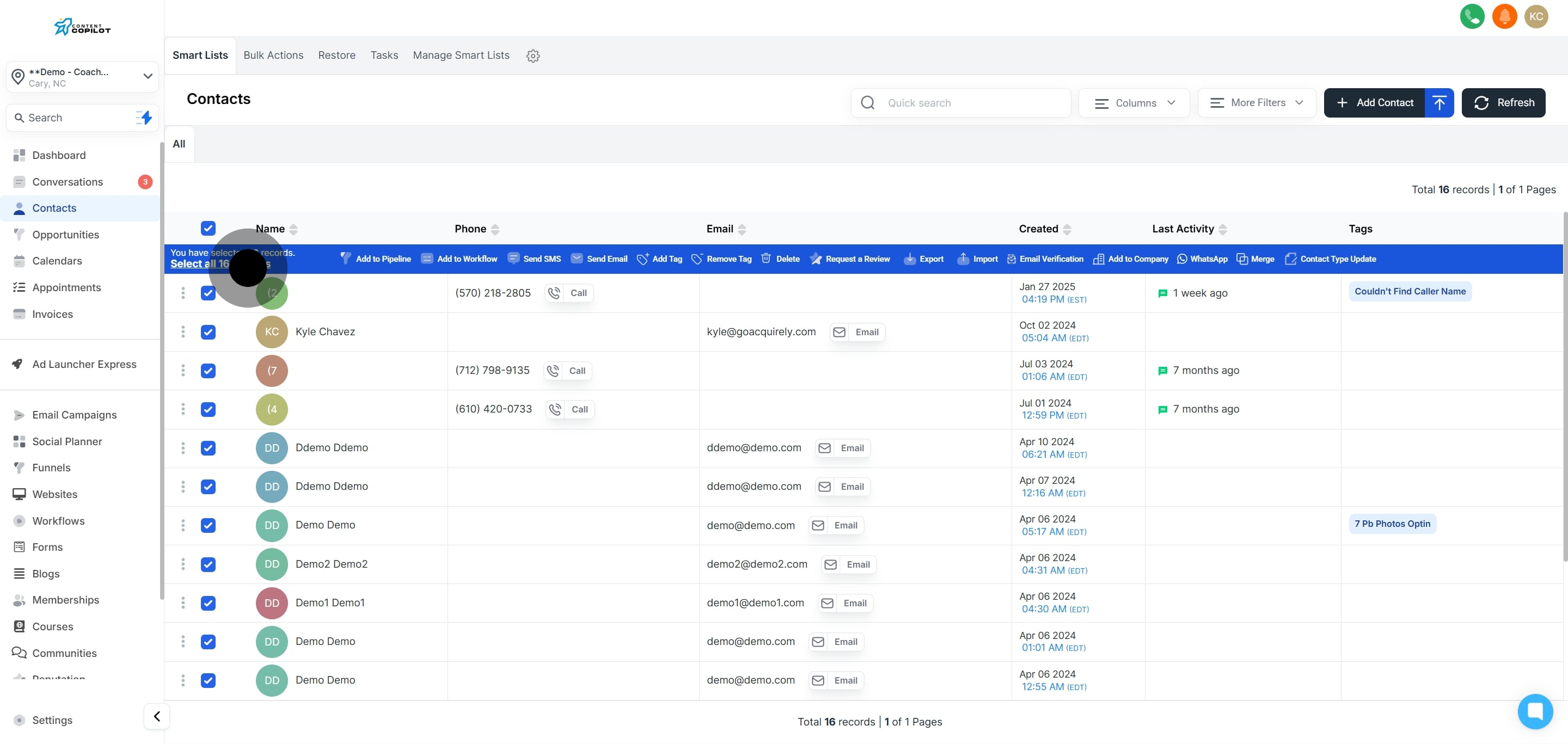
4. Now, tick the box to select all contacts on this page.
5. Optionally, select all contacts across the system for bulk actions.
6. Click to assign the selected contacts to a specific pipeline.
7. Choose a pipeline from the dropdown menu.
8. Select the appropriate stage within the chosen pipeline.
9. Enter the name of the opportunity in the text field.
10. Type in the source of the opportunity.
11. Indicate the lead value by selecting from the options.
12. Choose the current status of the opportunity from the list.
13. Describe the action for tracking purposes in the text field.
14. To complete the process, click 'Add/Update Opportunity'.
This workflow was created with Supademo.
Did this answer your question?
😞
😐
😁