Step 1: Create and Access Your PayPal Account
Visit developer.paypal.com and log in or create an account.
Navigate to your PayPal Dashboard.
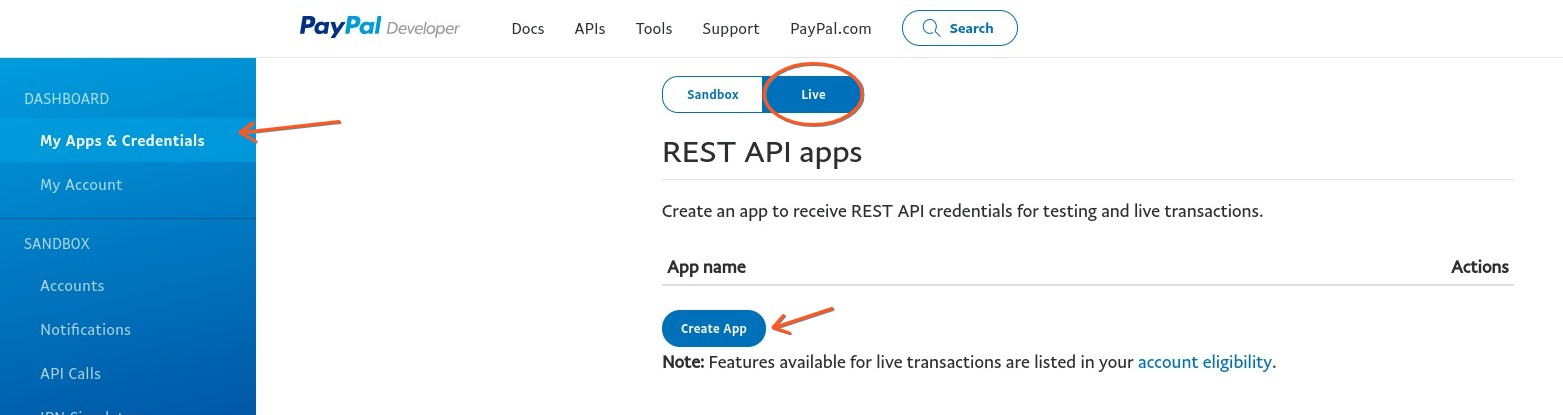
Click “My Apps & Credentials” and select “Live” apps.
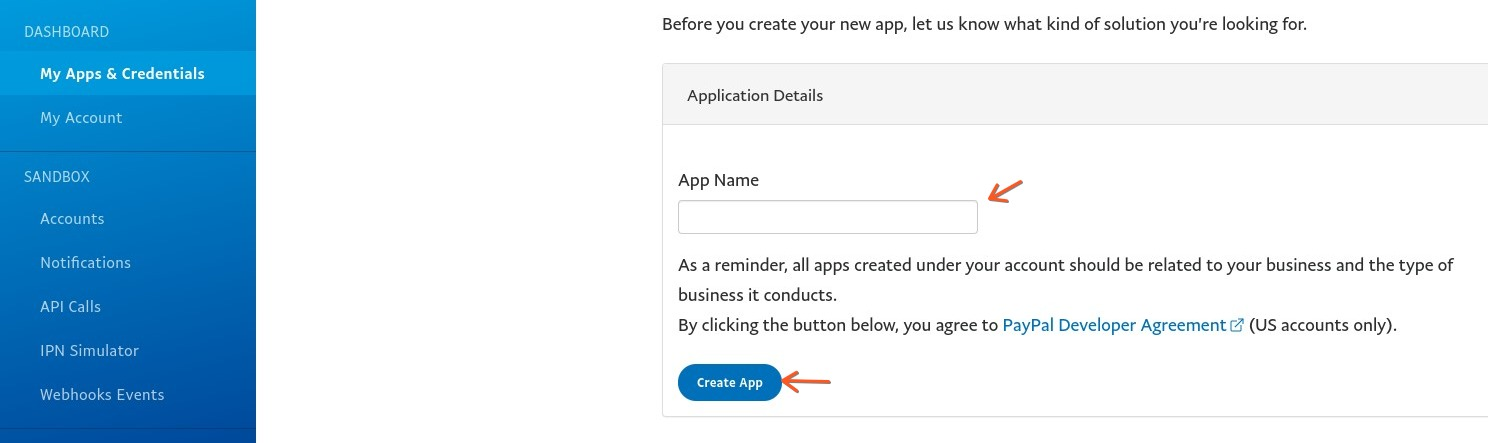
Click “Create App,” name your app, and note the Client ID and Secret ID.
Step 2: Integrate PayPal with CoachWorks Marketing
Navigate to Payments > Integrations in CoachWorks Marketing.
Enter your Client ID and Secret ID.
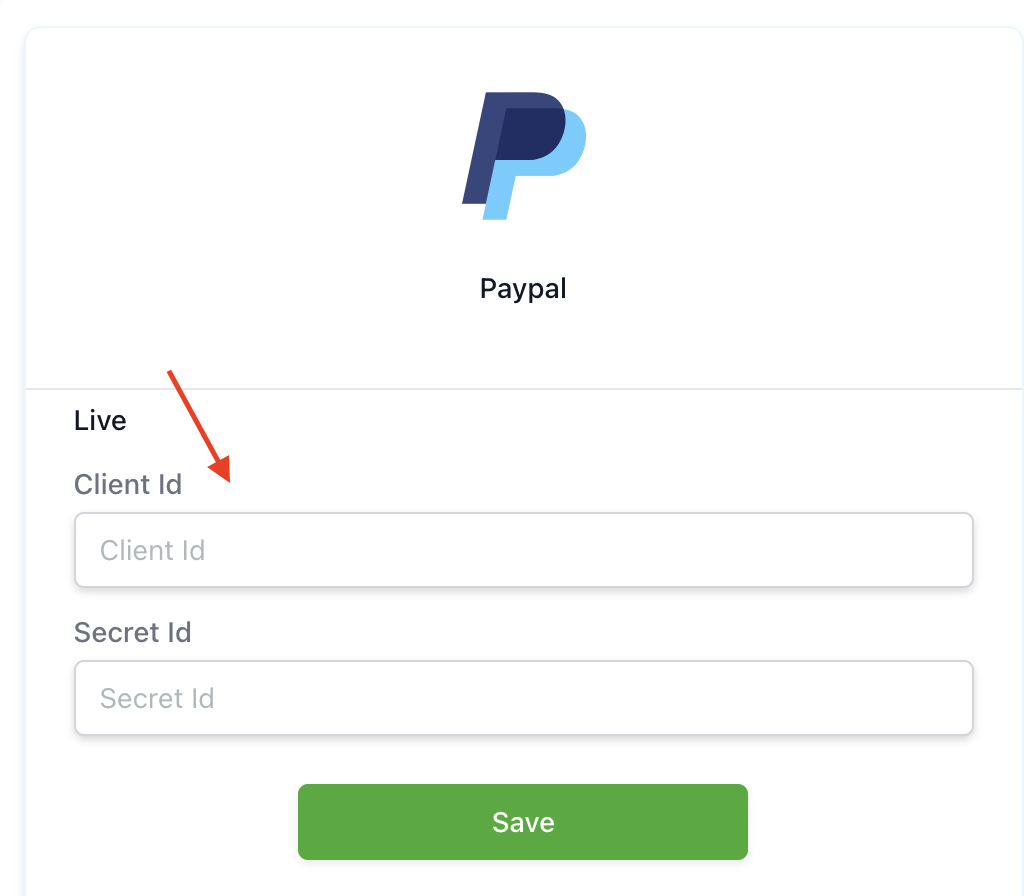
Click “Save” to confirm the integration.
Now, you can manage and track transactions within the Payments tab of CoachWorks Marketing.
