Obtaining Explicit Consent:
Explicit consent from the user is the only valid method to obtain permission for sending SMS campaigns and communications; this consent cannot be purchased.
Consent Responsibility:
In our scenario, the location that initiates the communications is responsible for obtaining the user's consent.
To conform with messaging policies, every initial message sent to an end-user must include two essential pieces of information: the Sender ID and opt-out language.
1. Sender ID:
Clear Identification:
To comply with regulations, every message you send must clearly identify you as the sender, the party who obtained the opt-in from the recipient. This helps in establishing transparency and trust with your audience.
Follow-Up Messages:
For follow-up messages in an ongoing conversation, this identification may not be necessary. However, it's a good practice to maintain clarity.
Additional Information:
To provide more information, append the sender info at the end of the message, for example: "Thanks, ."
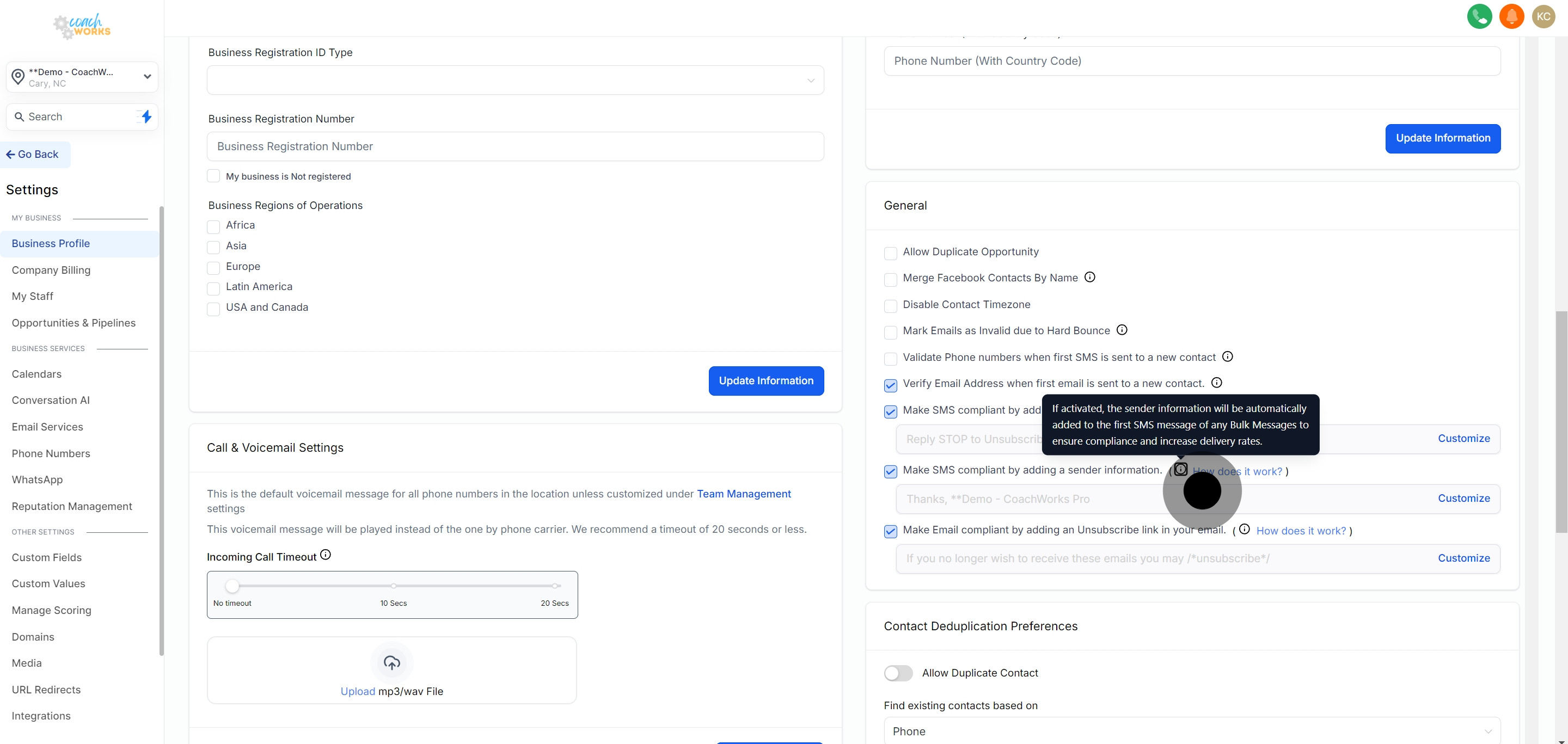
The "Sender ID" feature can only be used for Bulk SMS, Workflow, and campaigns, and cannot be used for individual conversations.Go to Settings -> Business Profile -> General, where you can customize the opt-out message, below is the screenshot for reference:
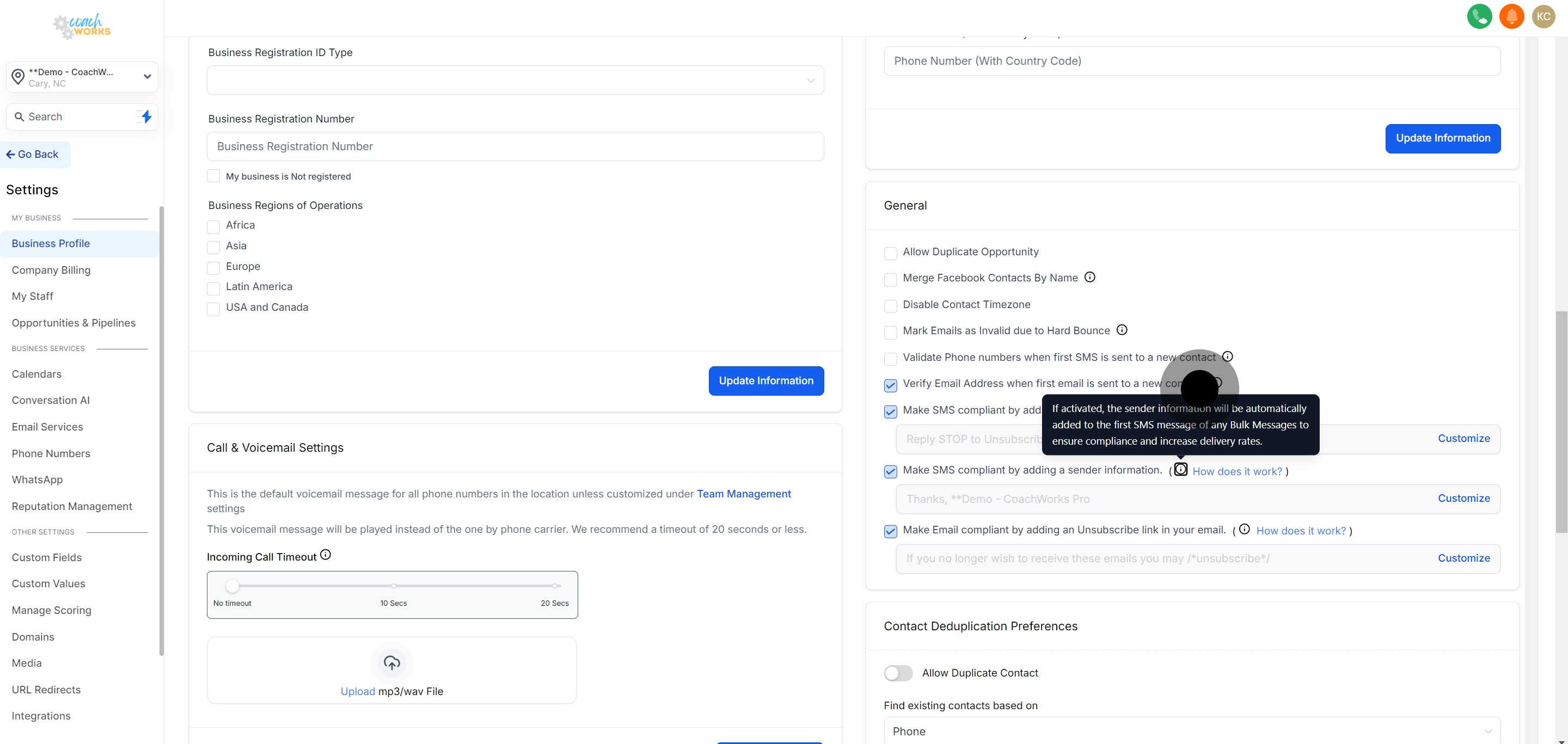
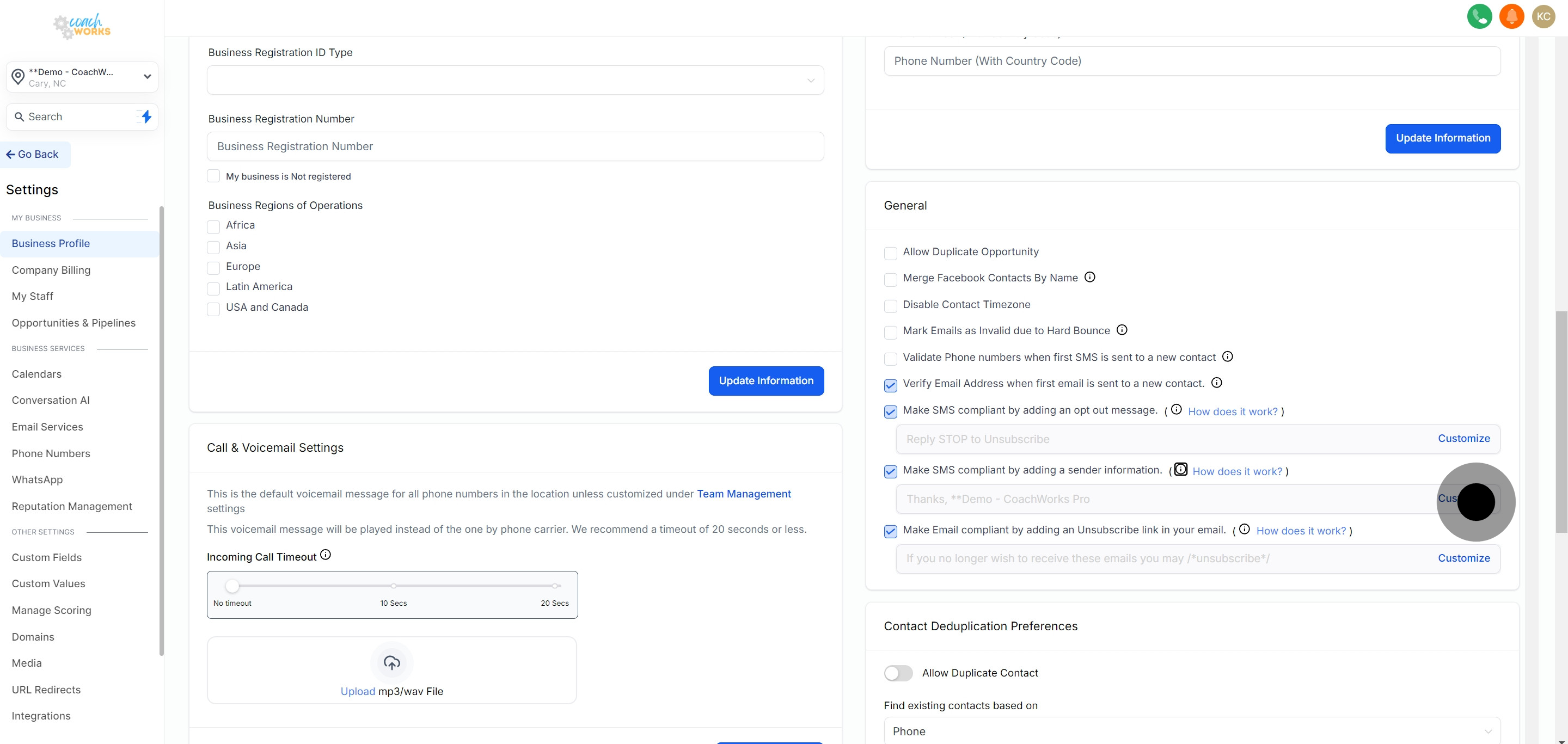
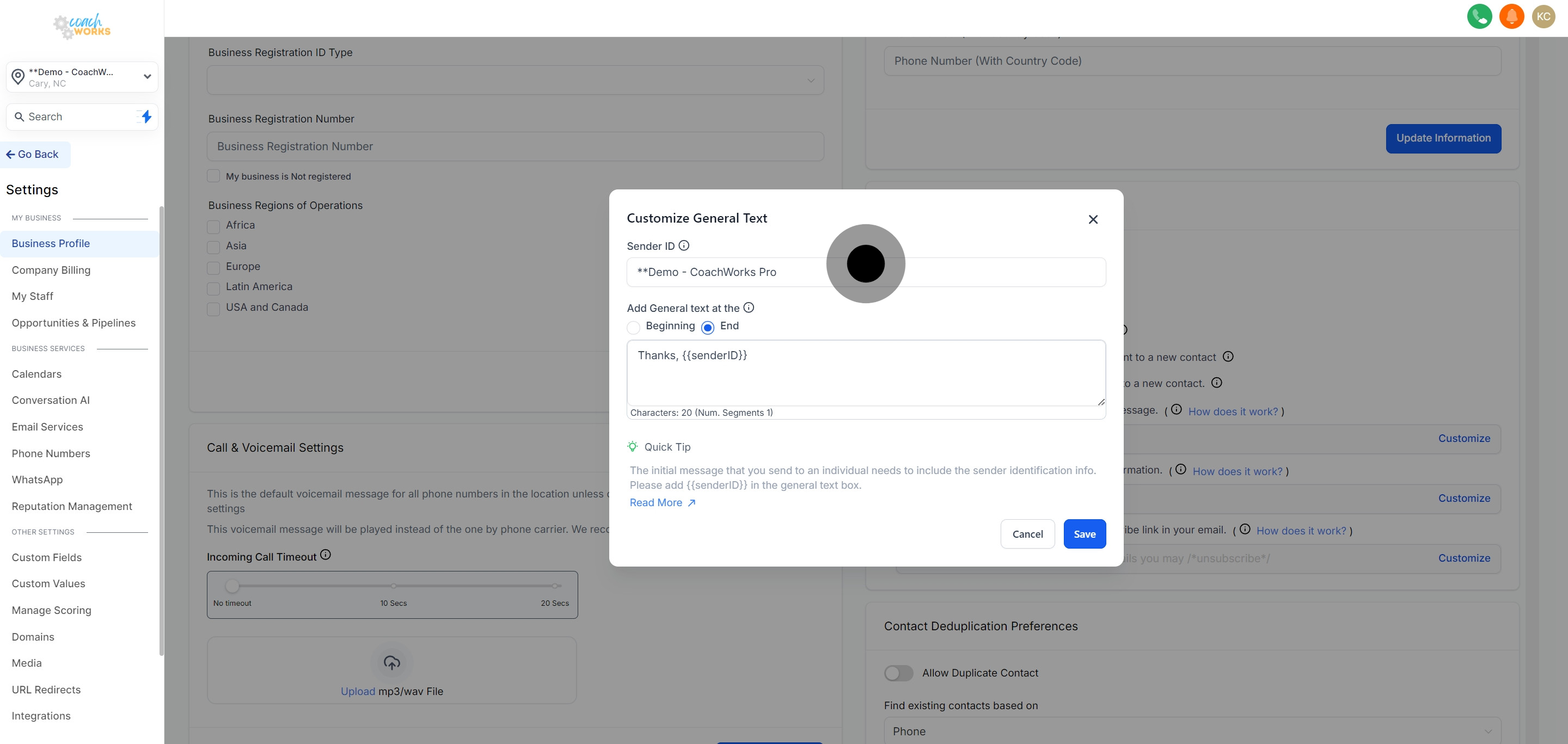
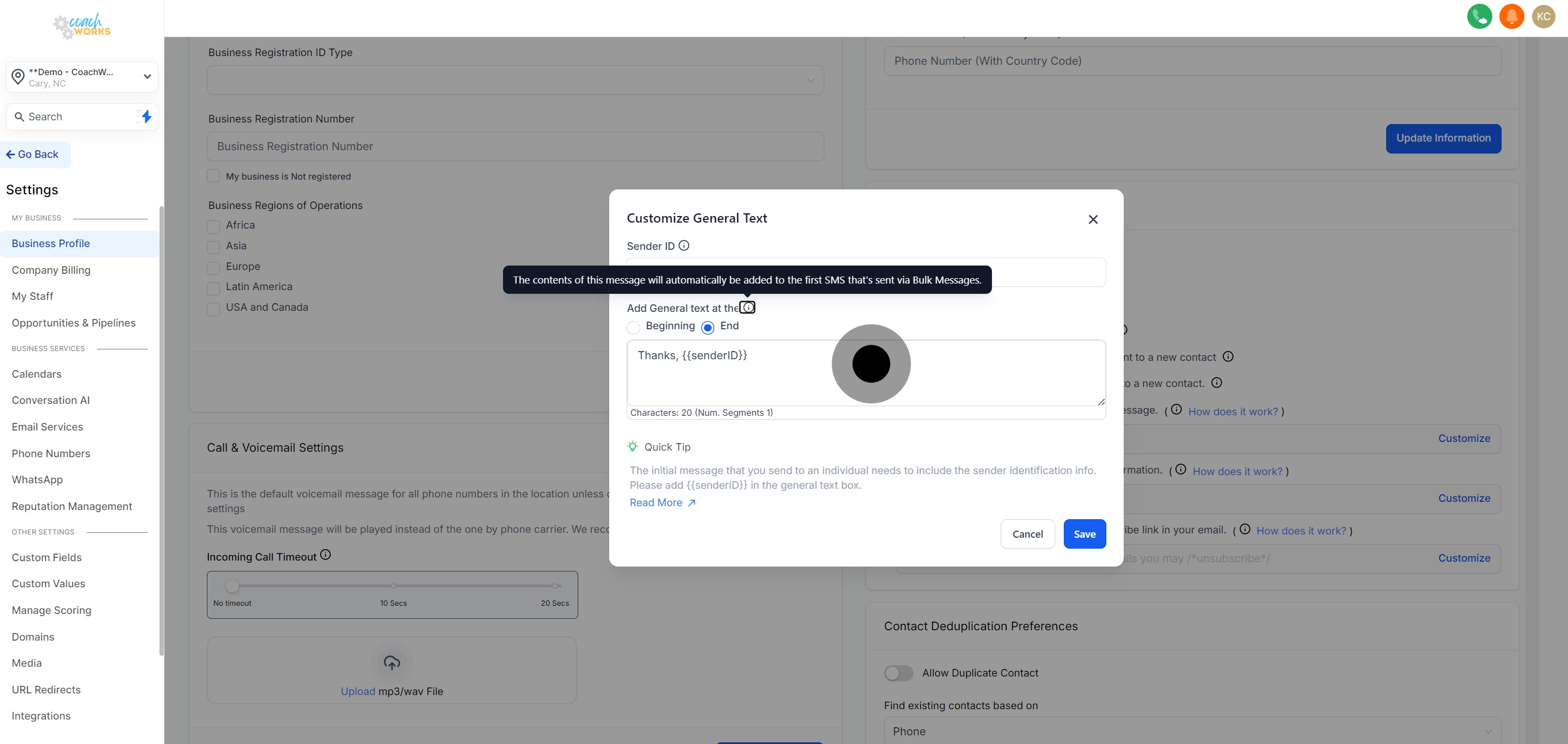
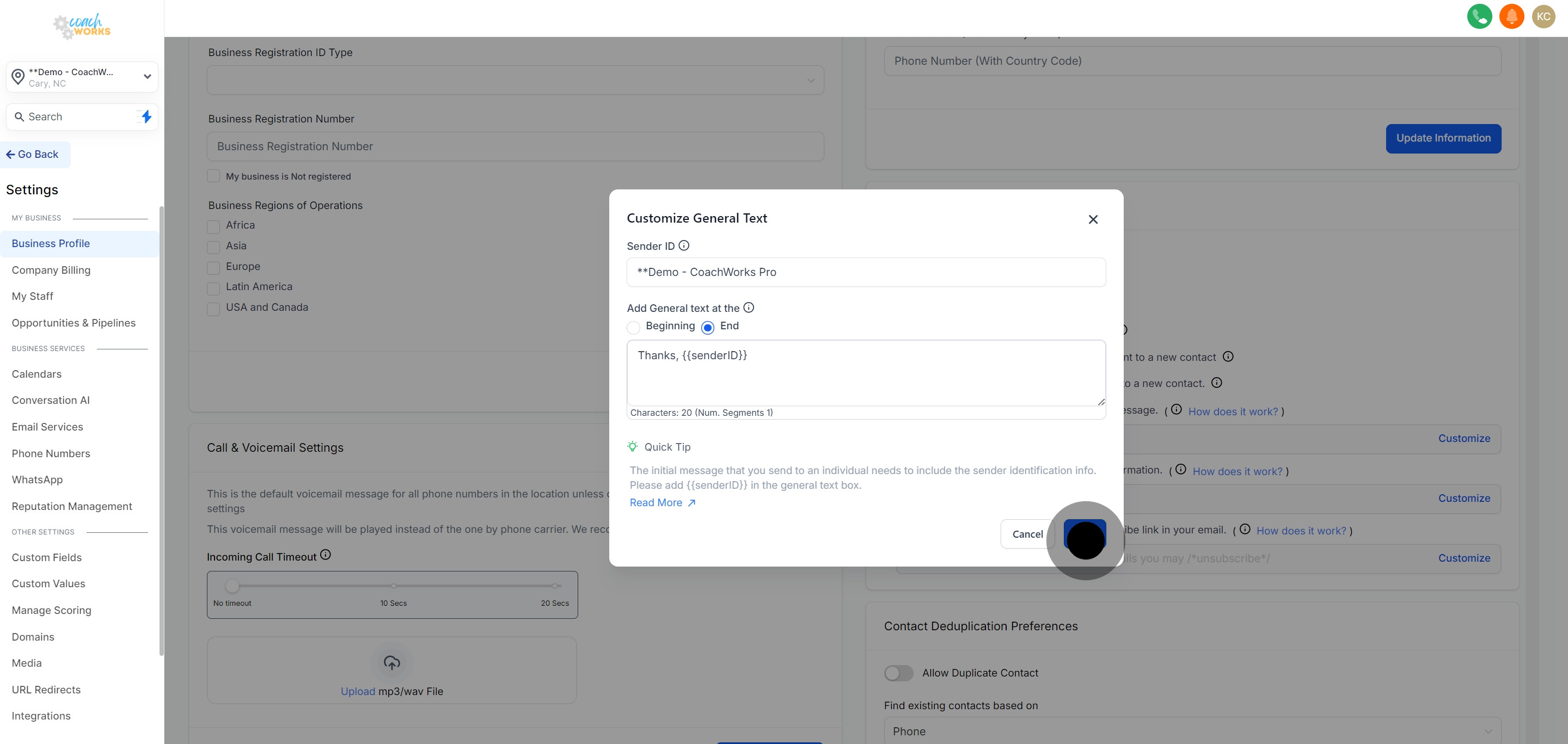
It is important to share this information with the end customer, therefore it should be included in all initial messages as a required check.By incorporating Sender ID information into your initial SMS messages, you ensure compliance with industry standards and enhance the transparency of your communications. This practice builds trust and helps maintain a healthy relationship with your clients.
